
A quicker way to open and save files
If you hate the way OS X manages Open and Save dialogs, or you frequently find yourself lost with the amount of windows you've got open, Default Folder X might be able to help.
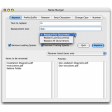
Default Folder X is designed to make Open and Save dialog windows in OS X more useful. Default Folder X works simply by attaching a toolbar to the right-hand side of Open and Save dialogs in native OS X applications. This gives you faster access to various folders and commands. Simply click on the buttons to go to your favorite and recently-used folders, manage the folders and files shown in the list, and make changes to your settings. Rather than having to find the right window on your screen, you can access them via the handy pop out.
Default Folder X is also useful for fixing annoying traits in Open and Save dialogs, such as 'rebounding' problems back to the last selected file, putting the path listing back in the top menu, and correcting bugs in scrolling column views. What's really impressive about Default Folder X is the amount of time it saves you hunting around for Open and Save windows. You can instantly access dialogs that may be hidden under many Windows using the pop out sidebar.
Default Folder X is an excellent solution for anyone that's frustrated by constantly opening and closing Open and Save dialogs in OS X.
Corrected a bug that could cause Default Folder X to crash. Fixed a problem associated with folder sets not showing correctly when editing them in System Preferences. If you change the name of a Favorite folder on your hard disk, Default Folder X will recognize the name change the next time you select it from the Favorites menu and will update your preferences.
Changes
Corrected a bug that could cause Default Folder X to crash. Fixed a problem associated with folder sets not showing correctly when editing them in System Preferences. If you change the name of a Favorite folder on your hard disk, Default Folder X will recognize the name change the next time you select it from the Favorites menu and will update your preferences.
























User reviews about Default Folder X
Have you tried Default Folder X? Be the first to leave your opinion!